
Listen to the customer instead of typing after them.
QuillHub records the call from your own computer with no bot in Zoom, and two minutes later hands you the CRM note, the follow-up email and an objection breakdown.
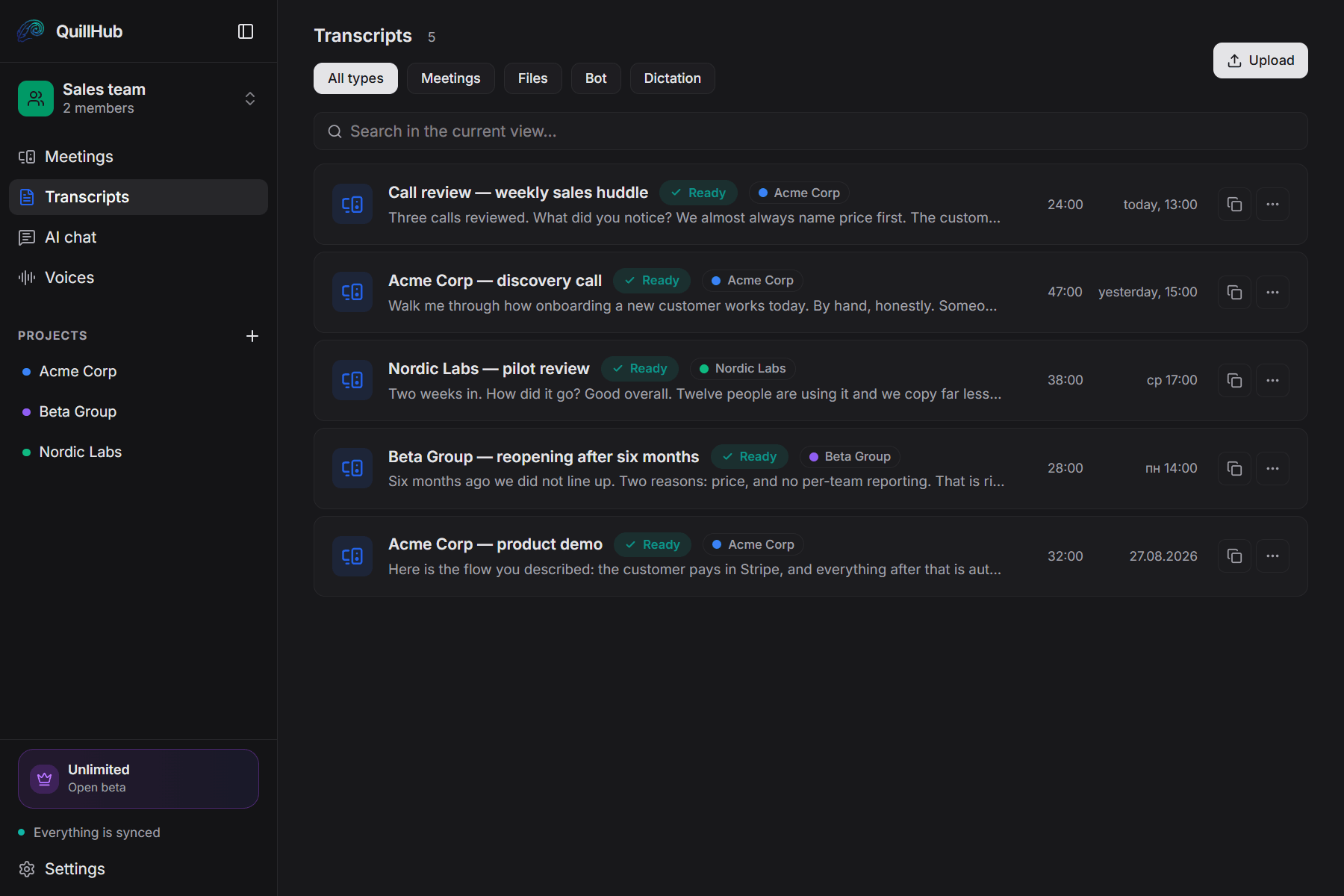
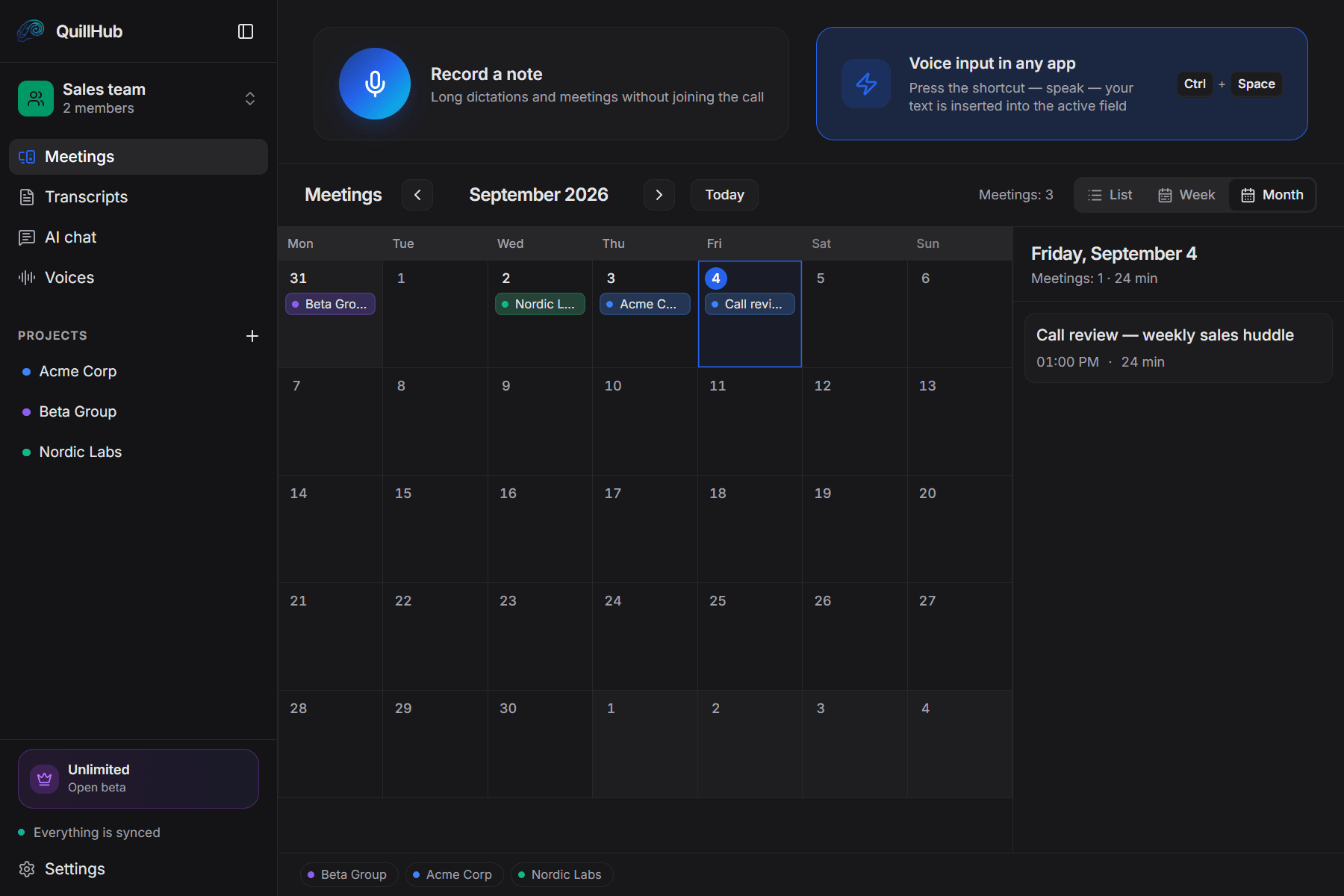
Records any call you take.
QuillHub captures your computer's audio instead of joining the meeting. The platform simply doesn't matter — and there is no integration to set up.
14 days of full access for Desktop-recorded meetings
No card required. Record a real meeting in QuillHub Desktop and get the complete result: transcript, structure, AI materials, speaker tools and chat about that meeting.
Files and links use your regular 60-minute balance and are not included in the Desktop trial.
Quick dictation is included too, with a separate 10-hour fair-use allowance during the 14 days.
After the trial, choose a paid plan or keep using your remaining minutes. Your meetings and results stay available.
Four things that eat a rep's day.
Six calls a day is ninety minutes of typing up what you just heard.
While you capture the numbers, you miss the hesitation in the voice and the real objection.
By Friday, Tuesday's commitments have blurred — and the customer is waiting.
The team's best calls live nowhere: nothing to replay, nothing to review.
You run the call. QuillHub does the rest.
Recorded from your own computer — Zoom, Meet, Teams, a headset. The customer sees only you.
The CRM note, the follow-up, objections and next steps are ready while you pour a coffee.
HubSpot, Notion, Slack and Gmail through MCP. Any other CRM — copy with one button.
Four finished pieces — none of them typed by you.
Editing takes a minute, not fifteen.
Sarah, thanks for the call. On Tuesday I'll send the proposal for 30 customers and two logistics case studies.
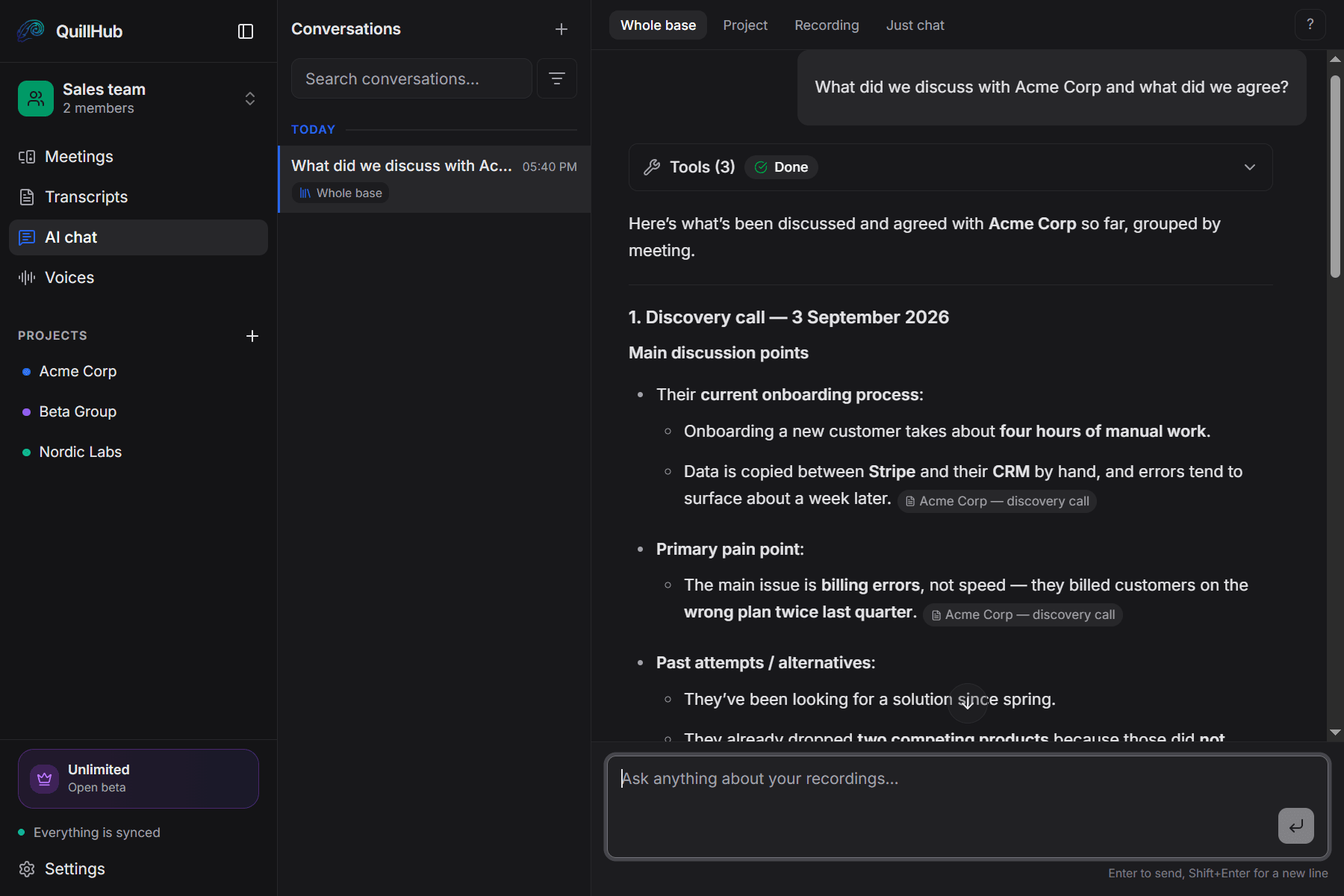
Before the next call — the whole history in ten seconds.
Not keyword search but an answer drawn from the calls themselves. Every answer links to the recordings it came from.
One deal, one folder. From first call to signature.
Discovery, demo, the return six months later — every Northwind call sits in one folder.
A new recording lands in the deal folder by company name on its own.
See which week went to one customer — and what you promised there.
Call review at the huddle — ten minutes, not an evening.
"Where did customers say 'too expensive' — and what did the reps answer?" The chat finds the calls and shows whose answer worked.
The transcript says "Sarah K." and "Marc T.", not "Speaker A": the app knows your reps by voice.
New reps hear them before their first demo, not after their first failure.
The customer sees only you.
Nobody extra among the participants.
Zoom, Meet, Teams, a phone through a headset.
Works offline, syncs later.
Once processed. Nothing is shared with anyone.
Dictation. Dictate the follow-up straight into the CRM field — the text lands wherever the cursor is.
14 days of full access for Desktop-recorded meetings — then choose your plan.
For solo founders, sales reps, and freelancers.
- Unlimited local recording
- No time limits, ever
- Works offline, fully on-device
- Lite — $2.99 for 150 minutes
- Basic — $4.99 for 350 minutes
- Pro — $9.99 for 750 minutes
- Ultra — $29.99 for 2,950 minutes
- Unlimited cloud transcription
- Unlimited AI assets & follow-ups
- Priority processing
No card required. Record a real meeting in QuillHub Desktop and get the complete result: transcript, structure, AI materials, speaker tools and chat about that meeting. Files and links use your regular 60-minute balance and are not included in the Desktop trial. Quick dictation is included too, with a separate 10-hour fair-use allowance during the 14 days.
Sales teams already save hours every week
"It used to be 15 minutes of CRM after every call. Now it's zero. QuillHub writes the note, I paste it and move on to closing."
"Call review at the huddle used to take an evening. Now I ask the chat where reps lost the customer on price and open two clips."
"Before a call with a customer I hadn't seen in six months, I open the deal folder — and it all comes back in a minute."
Frequently asked questions
Your next call — with no notes typed by hand.
Download the app, hit record, and two minutes after the call the CRM note is ready. 60 free minutes, no card. 14-day full access for meetings recorded in QuillHub Desktop — no card. Files and links use your regular 60-minute balance.