
Listen to the participant instead of typing after them.
QuillHub records the interview from your own computer with no bot in the call, and two minutes later hands you timestamped quotes, a map of recurring themes and a clip for the team.
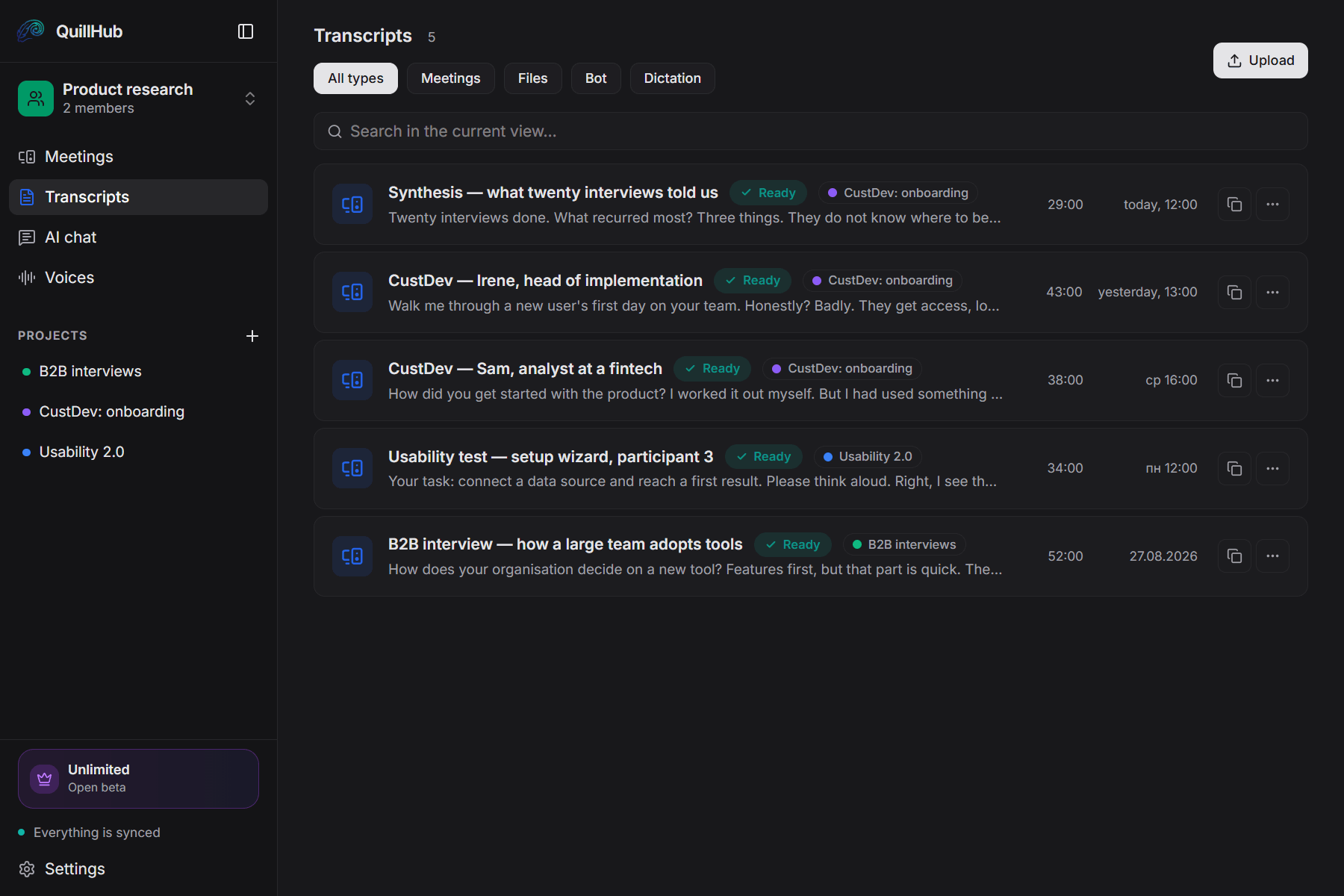
Records any call you take.
QuillHub captures your computer's audio instead of joining the meeting. The platform simply doesn't matter — and there is no integration to set up.
14 days of full access for Desktop-recorded meetings
No card required. Record a real meeting in QuillHub Desktop and get the complete result: transcript, structure, AI materials, speaker tools and chat about that meeting.
Files and links use your regular 60-minute balance and are not included in the Desktop trial.
Quick dictation is included too, with a separate 10-hour fair-use allowance during the 14 days.
After the trial, choose a paid plan or keep using your remaining minutes. Your meetings and results stay available.
Four things that eat your research time.
“They said something important” — and the exact wording is already gone.
While you write the answer down, you skip the follow-up question that mattered.
Rolling a series up into themes only ever happens by hand, in the evening.
The ticket keeps one line without context — and the wrong thing gets built.
You run the interview. QuillHub does the rest.
Recorded from your own computer — Zoom, Meet, Teams, a headset. The participant only ever sees you.
Quotes, the theme map, the clip and the decisions are ready while you finish your own notes.
Notion, Slack, Linear, Gmail through MCP. The quote travels with its timestamp.
Four documents, none of them yours to write.
Editing takes a minute, not an evening.
Clicking a timestamp opens that moment in the recording.
Rolled up from 20 interviews in this project.
“They need something to work on day one, on their own data”
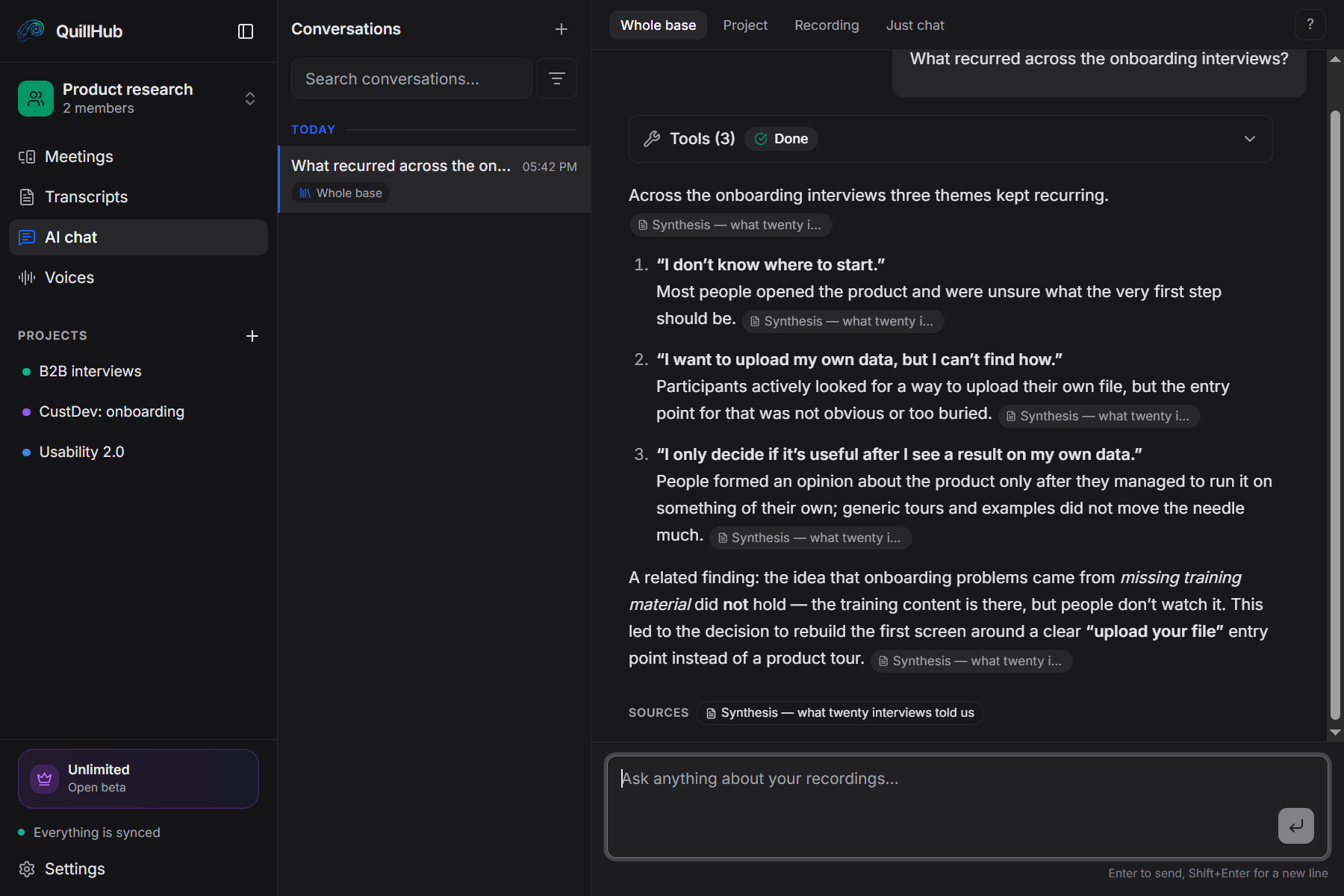
Twenty interviews, three themes, one question.
Not keyword search but an answer drawn from what was actually said. Every answer links back to the recordings it came from.
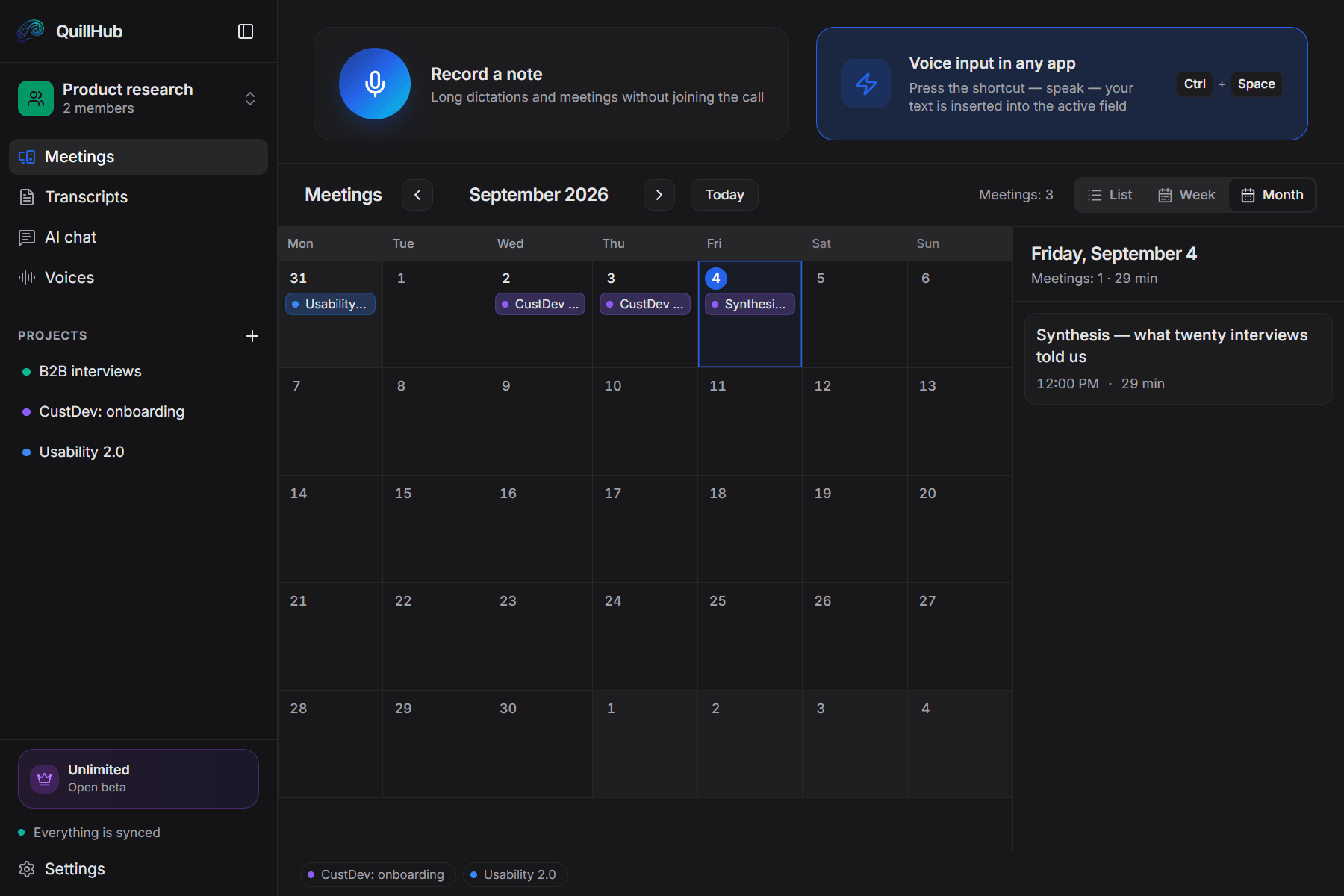
One study, one folder of interviews.
Screeners, depth interviews, the usability test and the synthesis live in one folder, not twenty files.
A new recording lands in the right study folder on its own, by project name.
You can see how many weeks the series took and when you spoke to whom.
A quote ends the argument, an opinion doesn't.
“How many people failed to find the upload?” The chat counts across the recordings and shows who they were.
The transcript says “Irina” and “Sergey”, not “Speaker A”: the app knows your researchers by voice.
The clip travels into the ticket with its timestamp.
The participant only ever sees you.
No extra participant in the room.
Zoom, Meet, Teams, a phone call through a headset.
Works offline and syncs later.
Once processed. Your data is never shared.
Dictation. The same app recorded the interview and can write the note: dictate it straight into the ticket field and the text appears where the cursor is.
14 days of full access for Desktop-recorded meetings — then choose your plan.
For solo founders, sales reps, and freelancers.
- Unlimited local recording
- No time limits, ever
- Works offline, fully on-device
- Lite — $2.99 for 150 minutes
- Basic — $4.99 for 350 minutes
- Pro — $9.99 for 750 minutes
- Ultra — $29.99 for 2,950 minutes
- Unlimited cloud transcription
- Unlimited AI assets & follow-ups
- Priority processing
No card required. Record a real meeting in QuillHub Desktop and get the complete result: transcript, structure, AI materials, speaker tools and chat about that meeting. Files and links use your regular 60-minute balance and are not included in the Desktop trial. Quick dictation is included too, with a separate 10-hour fair-use allowance during the 14 days.
Researchers have stopped retyping their interviews
"I used to reconstruct quotes from my own fragments and still softened the wording. Now the report carries what the person actually said, with a timestamp."
"Twenty interviews used to take an evening to roll up into themes. Now I ask the chat what kept coming up and check the answer against the linked recordings."
"The onboarding argument ended when I dropped a forty-second clip into the thread. My paraphrase convinced nobody; the actual voice convinced everyone."
Frequently asked questions
Your next interview, quotes included.
Download the app, turn on recording — and two minutes after the interview the timestamped quotes are waiting. 60 free minutes, no card required. 14-day full access for meetings recorded in QuillHub Desktop — no card. Files and links use your regular 60-minute balance.