
Run the meeting, not the minutes.
QuillHub records the meeting from your own computer with no bot in the call, and two minutes later hands you the minutes, the project boundaries and the action items with owners.
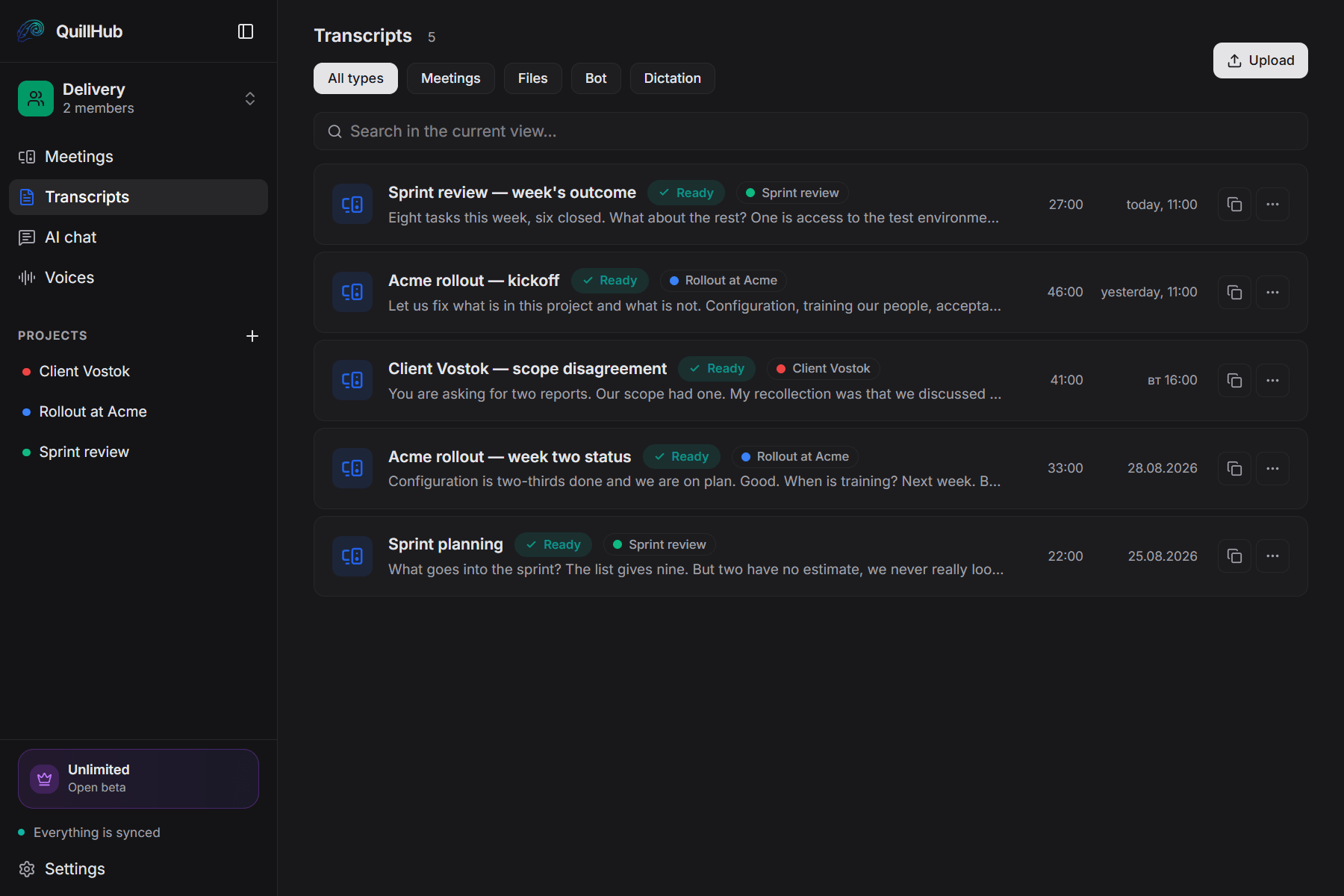
Records any call you take.
QuillHub captures your computer's audio instead of joining the meeting. The platform simply doesn't matter — and there is no integration to set up.
14 days of full access for Desktop-recorded meetings
No card required. Record a real meeting in QuillHub Desktop and get the complete result: transcript, structure, AI materials, speaker tools and chat about that meeting.
Files and links use your regular 60-minute balance and are not included in the Desktop trial.
Quick dictation is included too, with a separate 10-hour fair-use allowance during the 14 days.
After the trial, choose a paid plan or keep using your remaining minutes. Your meetings and results stay available.
Four things that eat a project manager's day.
A scope argument is settled from two people's memory, which means it isn't settled.
Forty minutes of status becomes an hour of decoding your own notes that evening.
Actions without an owner and a date dissolve between meetings.
The person who couldn't make it costs you another half hour.
You run the meeting. QuillHub does the rest.
Recorded from your own computer — Zoom, Meet, Teams, a headset. The client only ever sees you.
Minutes, scope, actions and the email are ready before the next call starts.
Notion, Slack, Linear, Gmail through MCP. Jira and any other tracker — copy with one button.
Four documents, none of them yours to write.
Editing takes a minute, not an hour.
- Setup
- Training
- Acceptance
- One report
- Legacy data migration
- Second report
Natalia, thank you for the meeting. Attaching the six-week plan and an explicit list of what falls outside the scope.
Who promised what, in one question.
Not keyword search but an answer drawn from what was actually said. Every answer links back to the recordings it came from.
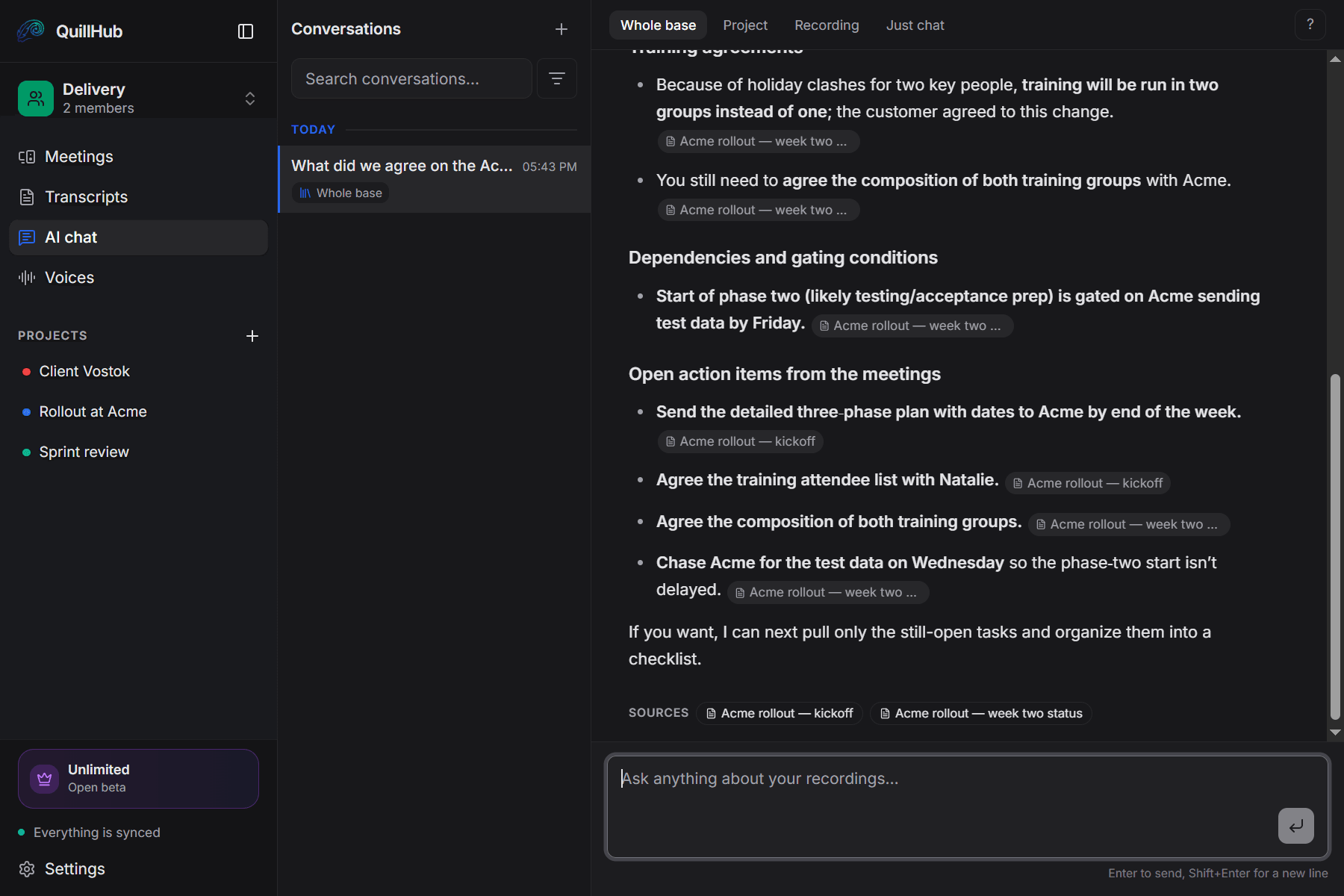
One project, one folder of meetings.
Kickoff, status calls and acceptance live in one folder instead of three chats and an inbox.
A new recording lands in the right project folder on its own, by name.
You can see how much time went into one client — and what you promised them there.
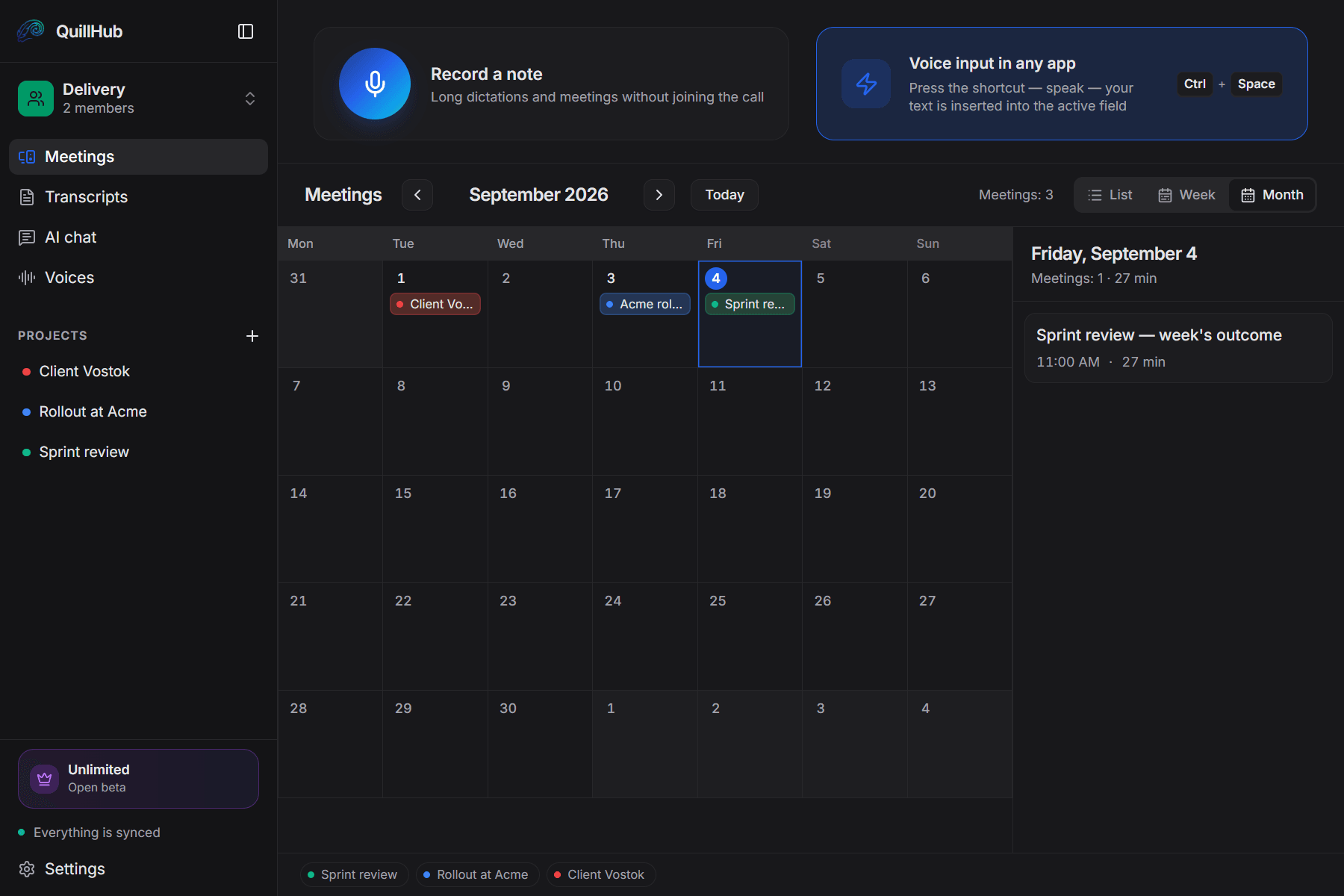
Two minutes instead of a week of email.
“What did we agree NOT to include?” The chat finds the recording and points at the timestamp.
The transcript says “Natalia”, not “Speaker A”: the app knows your regulars by voice.
A link to the sentence from the kickoff isn't about who was right — it is shared memory.
The client only ever sees you.
No extra participant in the room.
Zoom, Meet, Teams, a phone call through a headset.
Works offline and syncs later.
Once processed. Your data is never shared.
Dictation. The same app recorded the meeting and can write the comment: dictate it straight into the tracker field and the text appears where the cursor is.
14 days of full access for Desktop-recorded meetings — then choose your plan.
For solo founders, sales reps, and freelancers.
- Unlimited local recording
- No time limits, ever
- Works offline, fully on-device
- Lite — $2.99 for 150 minutes
- Basic — $4.99 for 350 minutes
- Pro — $9.99 for 750 minutes
- Ultra — $29.99 for 2,950 minutes
- Unlimited cloud transcription
- Unlimited AI assets & follow-ups
- Priority processing
No card required. Record a real meeting in QuillHub Desktop and get the complete result: transcript, structure, AI materials, speaker tools and chat about that meeting. Files and links use your regular 60-minute balance and are not included in the Desktop trial. Quick dictation is included too, with a separate 10-hour fair-use allowance during the 14 days.
Project managers have stopped writing minutes at night
"A scope argument used to drag on for a week over email. Now I open the kickoff, find the sentence with its timestamp, and the conversation ends in two minutes."
"Four meetings a day meant four sets of minutes in the evening. Now the minutes are ready before I join the next call."
"I no longer retell the status call to whoever missed it. I hand over the summary from the recording and get back to work."
Frequently asked questions
Your next meeting, with no minutes to write.
Download the app, turn on recording — and two minutes after the meeting the minutes, the scope and the actions are waiting. 60 free minutes, no card required. 14-day full access for meetings recorded in QuillHub Desktop — no card. Files and links use your regular 60-minute balance.